
Supervision
Watch your team at work, live.
Who is logged in, who is on a call, and for how long: supervision brings together the activity, recordings and statistics for your seats.
Live supervision
Listen in, whisper, barge in: see who hears you.
An example: an agent is on a call with a prospect who is hesitating. Pick a seat on a call, then an action.
Live seats
Click a seat on a call to listen in.
Illustrative animation: seats, durations and conversation are fictitious.
After the call, the recording is replayed with the agent to prepare the next one.
Four views
From live activity to history.
Live seats
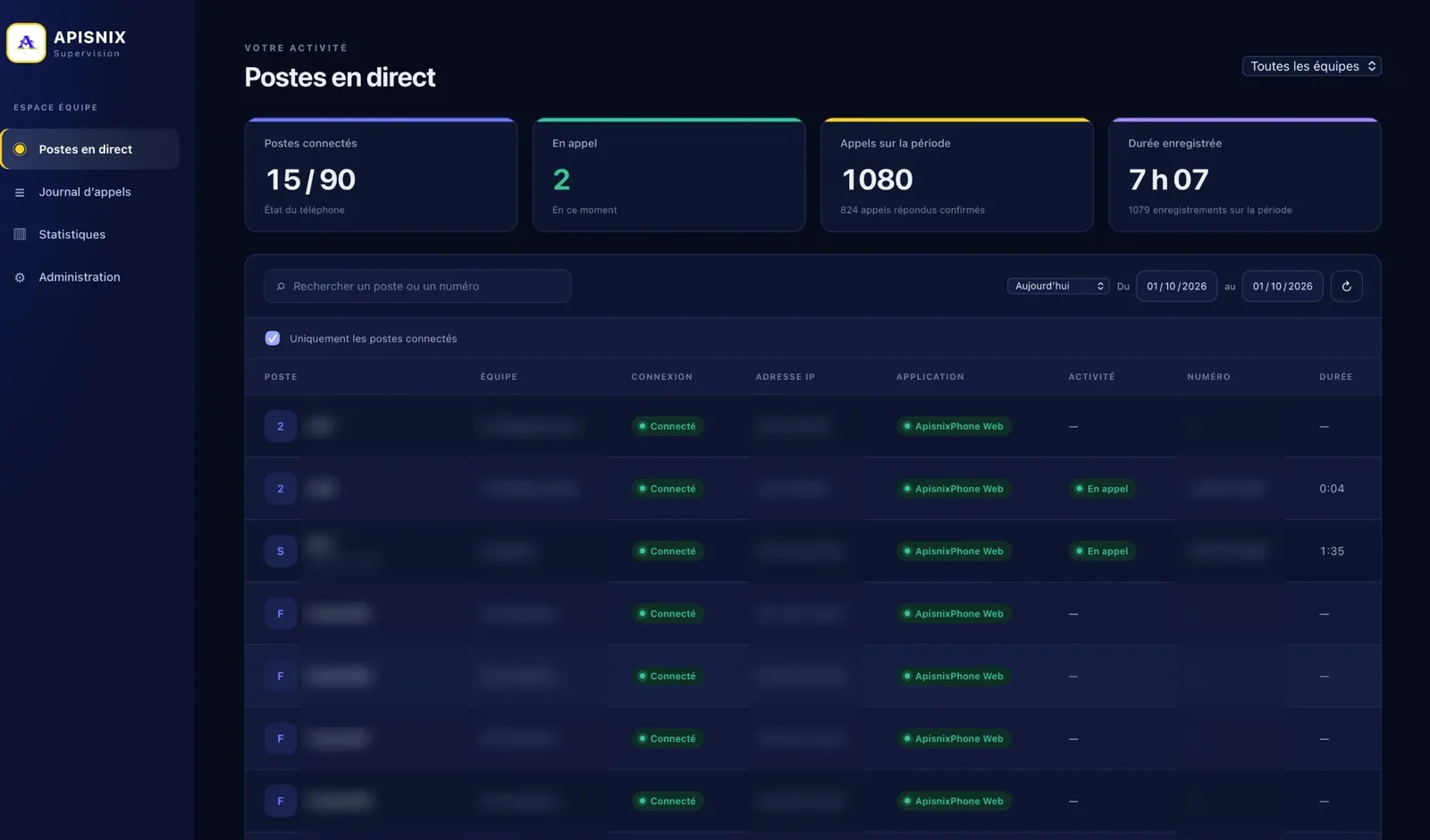
Each seat with its connection status, application, activity and the duration of the call in progress.
Call log
All calls in the period, filtered by team, seat or number.
Statistics
Volumes, durations and answered calls per agent and per team, exportable as CSV.
Administration
Teams, supervisors and access rights to recordings.
Administration
Your agents, your teams, your permissions, in your language.
- The list of your agents with their level, team and status
- Statistics, status and login time for each agent in one click
- Create or copy an agent in seconds
- Interface available in English, French and Spanish

Features
Listen, help, measure.
Live seats
The status of each seat: logged in, on a call, paused, and from which application.
Real-time listen-in
Listen to a call in progress without interrupting the customer or the agent.
Coaching
Whisper advice to the agent during the call, or barge in on the conversation.
Recordings
Search, replay and download your team’s calls.
Statistics
Call volume, durations and outcomes per agent, exportable as CSV.
Per-team permissions
A supervisor sees only their own team; an agent can access only their own recordings.
Team permissions
Everyone sees only what concerns them.
Pick a role to see what it can access.
Team A
- Seat 01Visible
- Seat 02Visible
- Seat 03Visible
Team B
- Seat 04Visible
- Seat 05Visible
- Seat 06Visible
Example with two fictitious teams: the supervisor leads team A, the agent uses seat 02.
How to get it
Free with 2 or more manual seats.
The supervisor login is free with 2 or more manual seats and is added to your seats on request. It gives access to real-time listen-in, coaching and recording downloads.
Supervisor login
Free*
* Free with 2 or more manual seats.
- Live seats
- Real-time listen-in
- Coaching
- Recordings
- Statistics
Free trial
Get access today.
24-hour free trial on 1 or 2 seats, so you can judge the quality of the lines before you decide.
- Four details, no documents
- After the trial, full access ready within 2 hours of payment
- Reply on WhatsApp from 9:00 to 19:00